> ## Documentation Index
> Fetch the complete documentation index at: https://docs-nce.global-e.com/llms.txt
> Use this file to discover all available pages before exploring further.
# EU Product Identifiers
Part of the [EU Customs Reform - Product Identifiers (PID)](/eu-product-identifiers-pid).
On Magento, the two identifiers are read from product attributes at checkout and sent to Global-e by the Global-e module. This is a configuration task, not custom code: you create two product attributes, list them in the module settings, and populate the values on your products. Your SKU is already sent separately, so there is no new SKU field to add.
For what each identifier is, see [The three identifiers](/eu-product-identifiers-pid#the-three-identifiers) on the overview page.
Unlike some platforms, on Magento the attribute codes themselves must be exactly `standardcode` and `mididentifier`.
## What you need to do
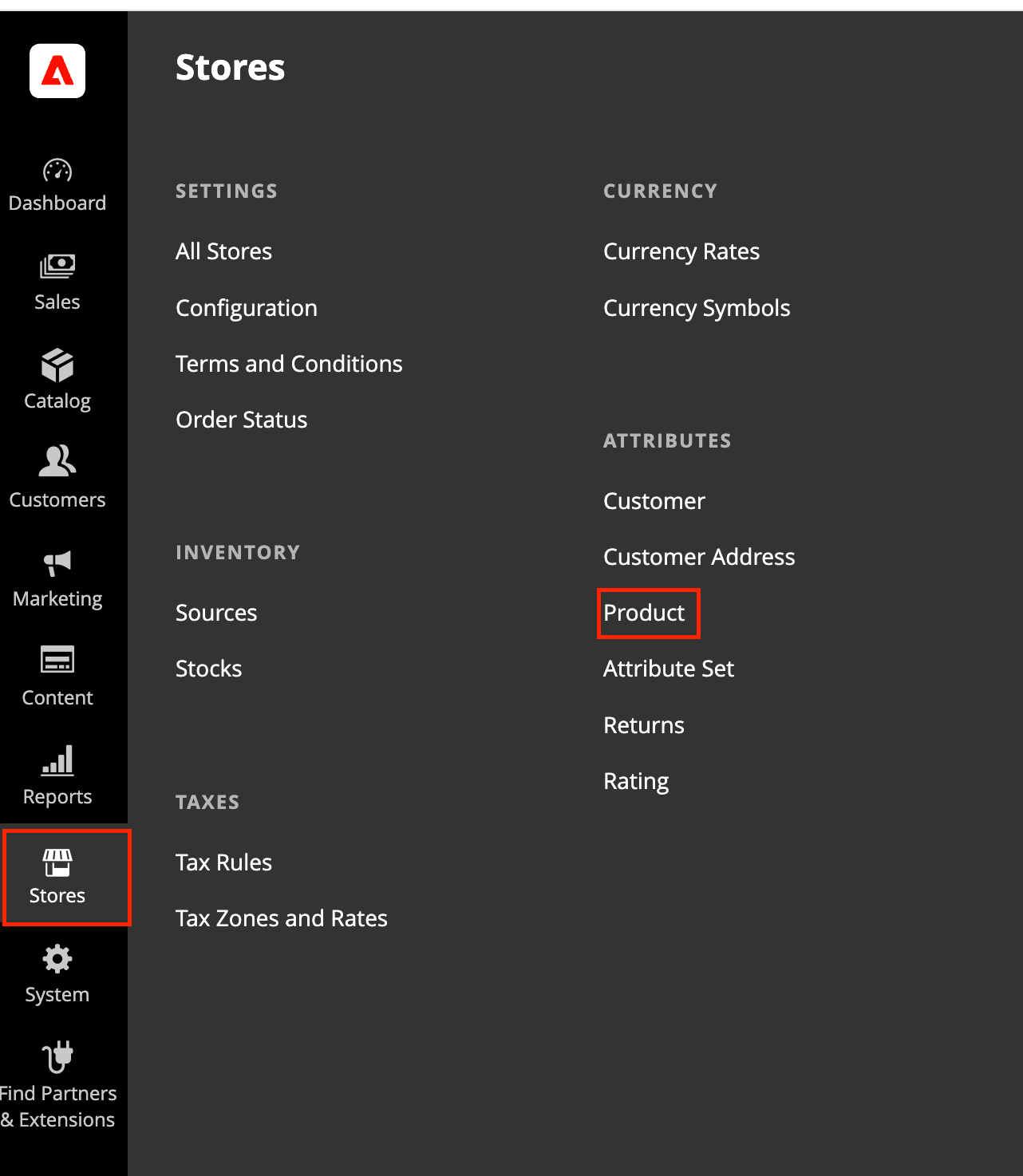
1. **Create two product attributes.** Go to **Stores**, then **Attributes**, then **Product**
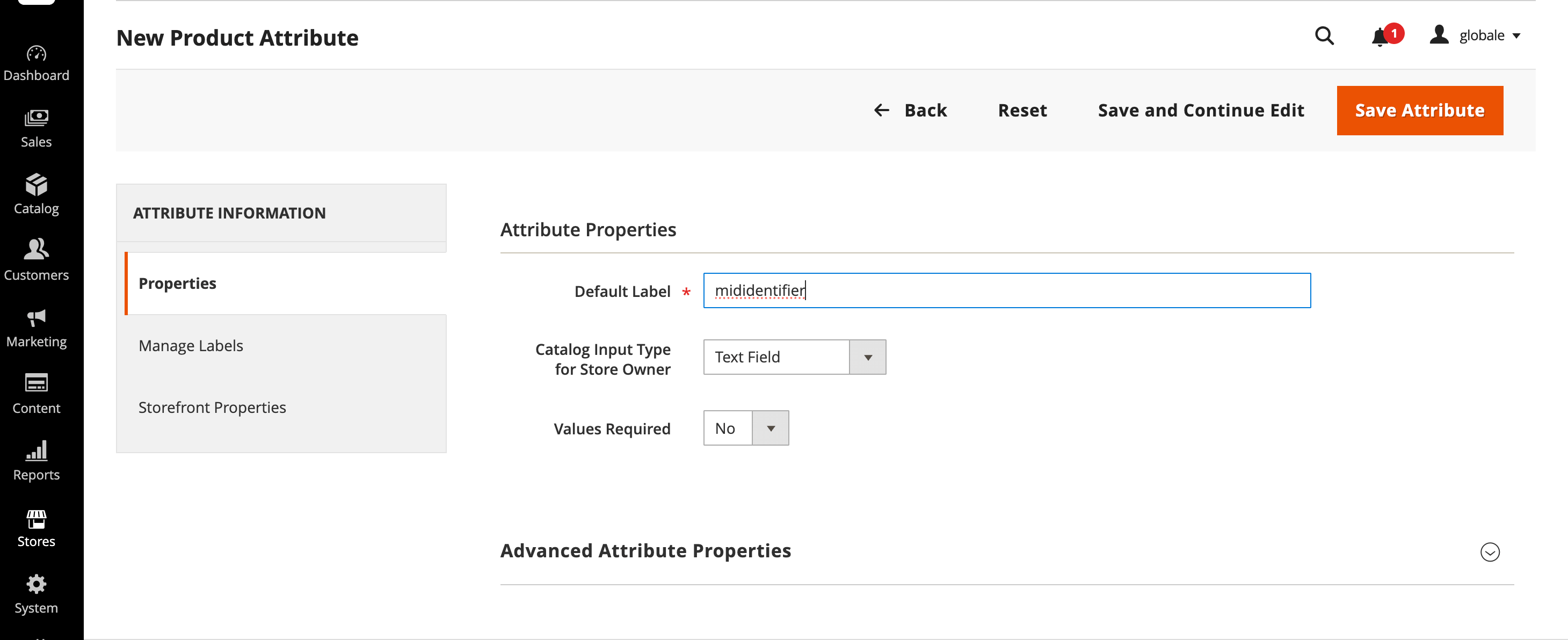
 2. Create two attributes by clicking on the **Add Attributes** button: Set Catalog Input Type to **Text Field** and Values Required to **No**;
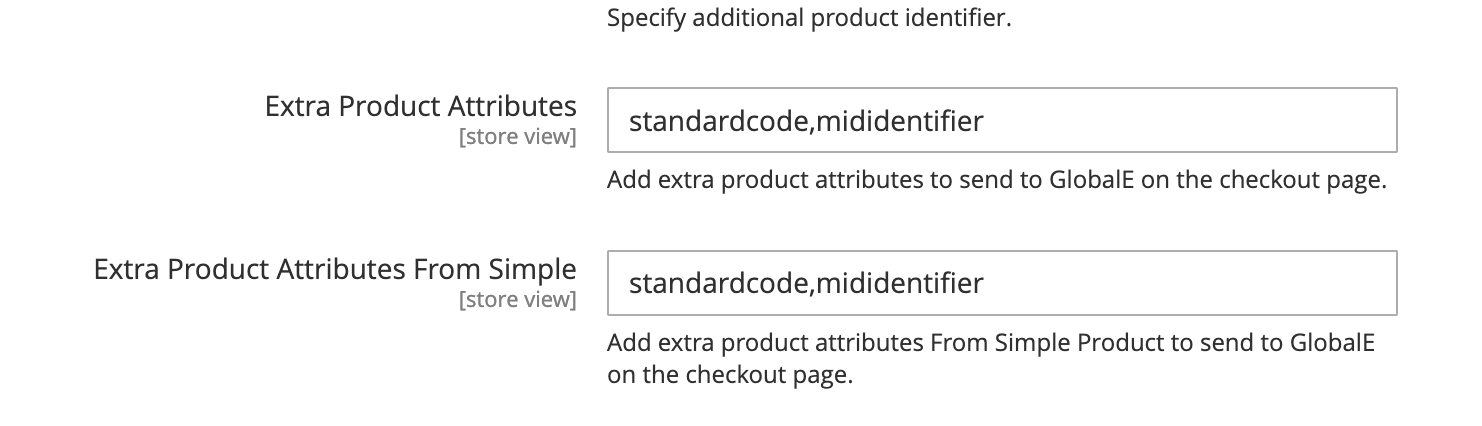
 3. **List them in the Global-e module.** Go to **Stores**, then **Configuration**, then **Services**, then **Global-e Crossborder**, then **Global-E API Settings**, then **Products**. Enter `standardcode,mididentifier` (comma-separated, no spaces) in both fields: **Extra Product Attributes**, and **Extra Product Attributes From Simple**.
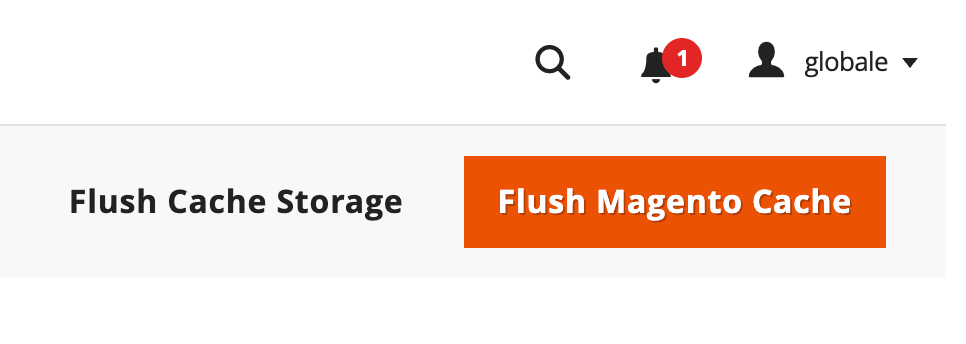
 4. **Save and flush cache.** Click **Save Config**, then flush the Magento cache (**System**, **Cache Management**, **Flush Magento Cache**).
 5. **Populate the values** on each variant and/or configurable parent.
| Sent as | What it holds | When to leave it out |
| - | - | - |
| `standardcode` | The barcode for that variant (GTIN, EAN or UPC) | When the item has no barcode. Global-e declares the “no barcode” code automatically. |
| `mididentifier` | The manufacturer’s product code for that variant | Never. This is required on every line. |
## Key points
**One pair of values per cart line.** For simple products, populate that SKU’s attributes. For configurable products, set values on the parent, on each child, or both: when a child has no value, the module uses the parent’s value.
**Both settings must match.** List `standardcode,mididentifier` in both **Extra Product Attributes** and **Extra Product Attributes From Simple**.
**Exact lowercase.** The Magento attribute codes and the values sent to Global-e are both `standardcode` and `mididentifier`.**Omit, don’t fake.** When a variant has no value, leave the key out. Never send an empty string, NA, 0 or -.
**Keep separate from US MID.** Do not use `midcode`, `midname` or `midaddress` for EU PID. If you already list US MID attributes in these settings, append `standardcode,mididentifier` to the same comma-separated list in both fields.
**When values are read:** at checkout, when the customer proceeds to Global-e. Updated catalog values apply on that SKU’s next checkout.
## Quick check before go-live
| Check | Done |
| - | - |
| Two attributes created with codes `standardcode` and `mididentifier`, added to the attribute set | ☐ |
| Both **Extra Product Attributes** settings list `standardcode,mididentifier` | ☐ |
| Values populated on each variant (or on the configurable parent for inheritance) | ☐ |
| `standardcode` and `mididentifier` appear when the variant has values | ☐ |
| Keys are omitted (not empty) when a variant has no value | ☐ |
| Configurable child inherits the parent when the child is blank | ☐ |
| Cache flushed after the configuration change | ☐ |
5. **Populate the values** on each variant and/or configurable parent.
| Sent as | What it holds | When to leave it out |
| - | - | - |
| `standardcode` | The barcode for that variant (GTIN, EAN or UPC) | When the item has no barcode. Global-e declares the “no barcode” code automatically. |
| `mididentifier` | The manufacturer’s product code for that variant | Never. This is required on every line. |
## Key points
**One pair of values per cart line.** For simple products, populate that SKU’s attributes. For configurable products, set values on the parent, on each child, or both: when a child has no value, the module uses the parent’s value.
**Both settings must match.** List `standardcode,mididentifier` in both **Extra Product Attributes** and **Extra Product Attributes From Simple**.
**Exact lowercase.** The Magento attribute codes and the values sent to Global-e are both `standardcode` and `mididentifier`.**Omit, don’t fake.** When a variant has no value, leave the key out. Never send an empty string, NA, 0 or -.
**Keep separate from US MID.** Do not use `midcode`, `midname` or `midaddress` for EU PID. If you already list US MID attributes in these settings, append `standardcode,mididentifier` to the same comma-separated list in both fields.
**When values are read:** at checkout, when the customer proceeds to Global-e. Updated catalog values apply on that SKU’s next checkout.
## Quick check before go-live
| Check | Done |
| - | - |
| Two attributes created with codes `standardcode` and `mididentifier`, added to the attribute set | ☐ |
| Both **Extra Product Attributes** settings list `standardcode,mididentifier` | ☐ |
| Values populated on each variant (or on the configurable parent for inheritance) | ☐ |
| `standardcode` and `mididentifier` appear when the variant has values | ☐ |
| Keys are omitted (not empty) when a variant has no value | ☐ |
| Configurable child inherits the parent when the child is blank | ☐ |
| Cache flushed after the configuration change | ☐ |