

Prerequisites
You can check your plugin version by going to Modules → Module manager

What you need to do
-
Create the features. Go to Catalog, then Attributes & Features, then Features. Create features named exactly
standardcodeandmididentifier.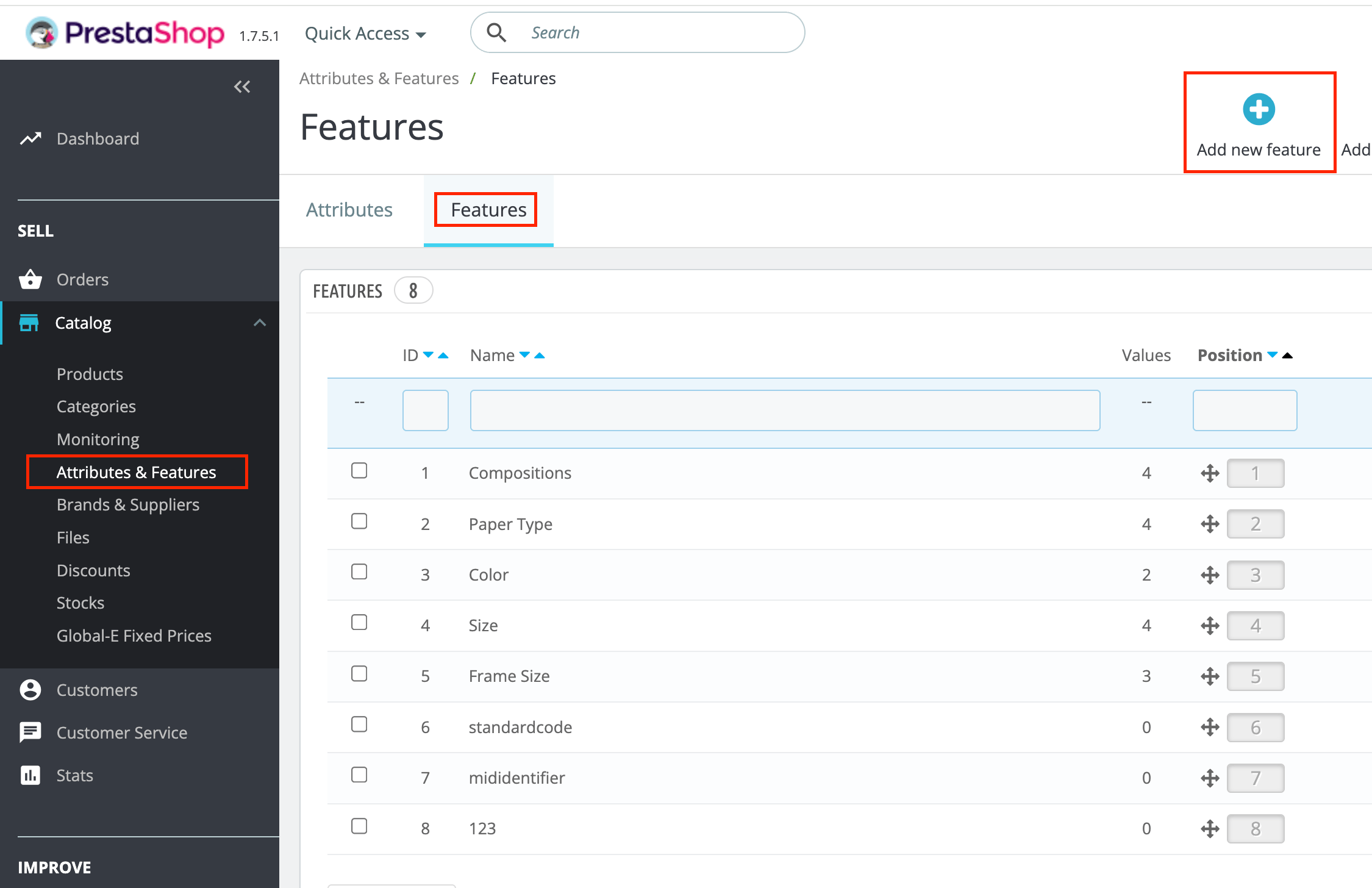
-
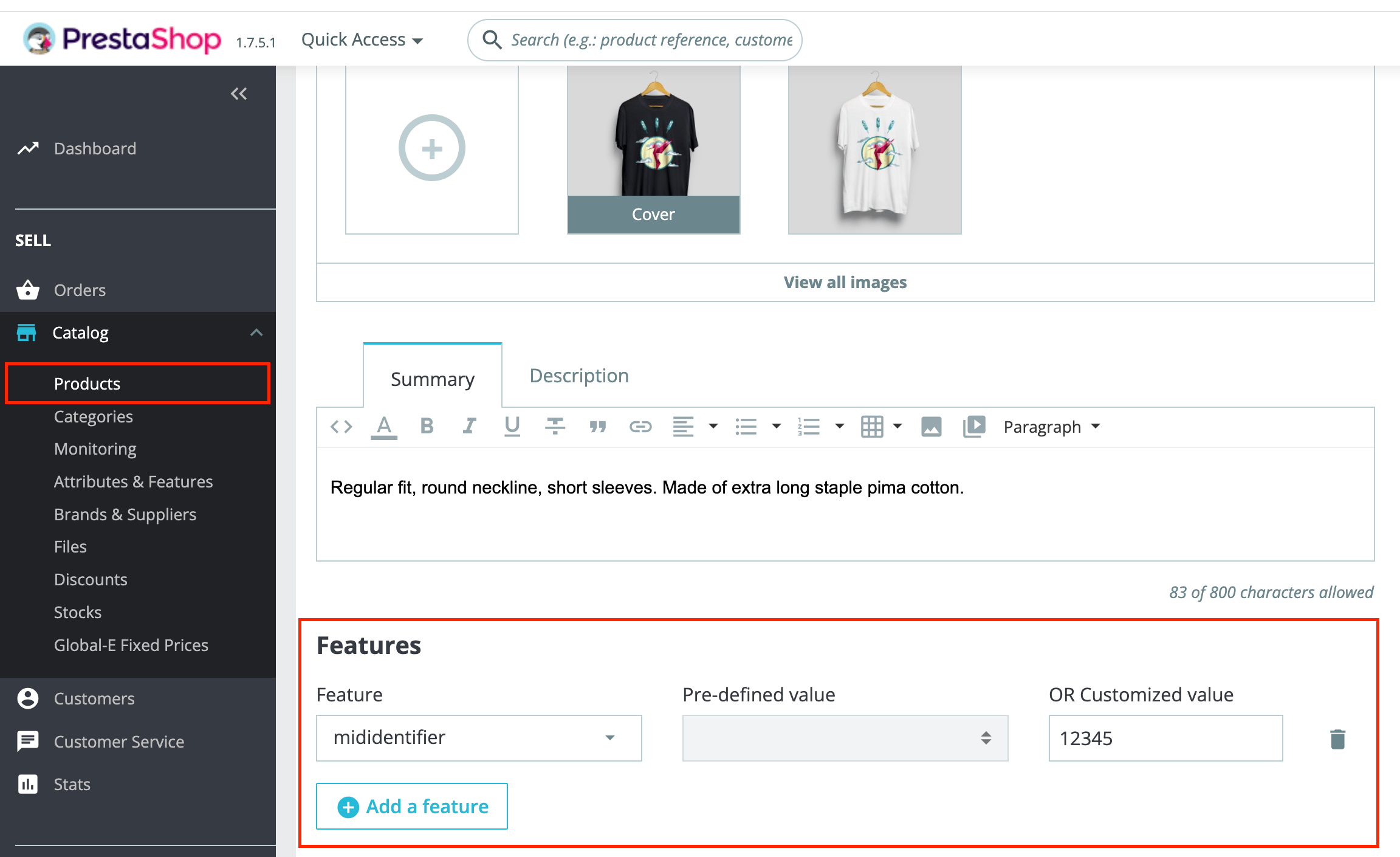
Set values per product. On each product, open the Features tab and assign a customised value for each feature. Leave a feature blank when you have nothing to send.
-
List the features in the module. Go to Modules, then Module Manager, then Global-e Cross-Border, then Configure, then Products. In Product extra meta data, add the feature names comma-separated:
standardcode,mididentifier.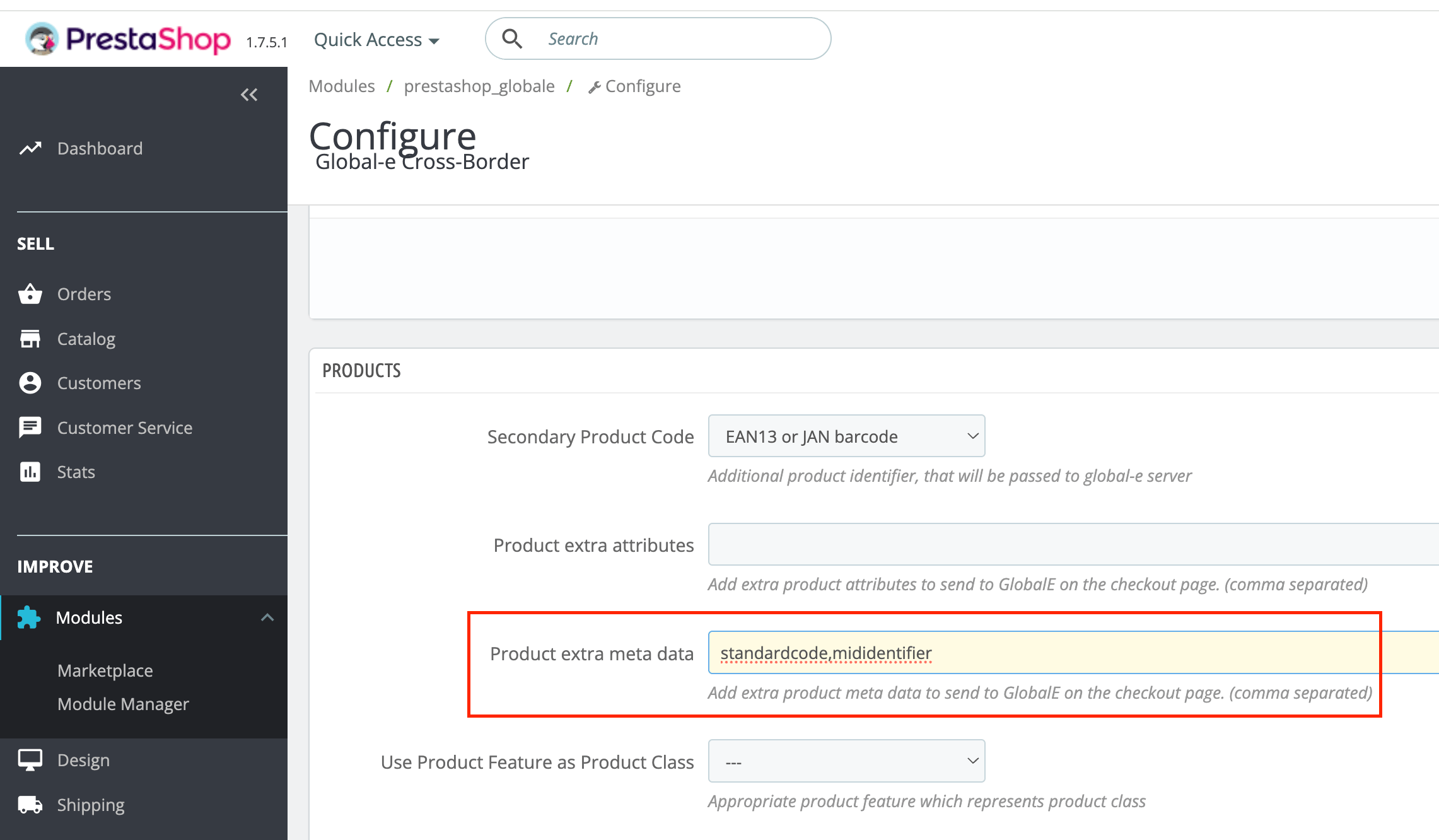
- Save the module settings, place a test order, and confirm the values appear when populated and are omitted when blank.
Do not use the native combination EAN-13. The native combination EAN-13 field is not the EU PID path and does not populate
standardcode. Use PrestaShop Features instead.
Features are set per product. PrestaShop Features are set once per product, so all combinations of a product share the same values. If different variants of a product need different identifiers, use separate products or confirm alternatives with your Global-e contact.
Key points
Use Features plus the Product extra meta data setting, not the native combination EAN-13. The values are sent under the keysstandardcode and mididentifier.Omit, don’t fake. Leave a feature blank when you have no value. Never enter NA, 0 or -.
When values are read: at checkout, when the customer proceeds to Global-e.