

Prerequisites
You can check your plugin version by going to Extensions → My Extensions

What you need to do
- Store the values on your products. Make sure each variant that can appear in the cart holds the values you want to send: the barcode (GTIN, EAN or UPC) and the manufacturer code. Use whichever catalog fields you already keep them in.
-
Point the plugin at those fields. Go to Extensions, then My Extensions and click on Configure next to the Global-e Cross-Border extension
Under Products, in Product Extra Attributes, list the technical field names that hold your barcode and your manufacturer code. The plugin sends them to Global-e as

standardcodeandmididentifier.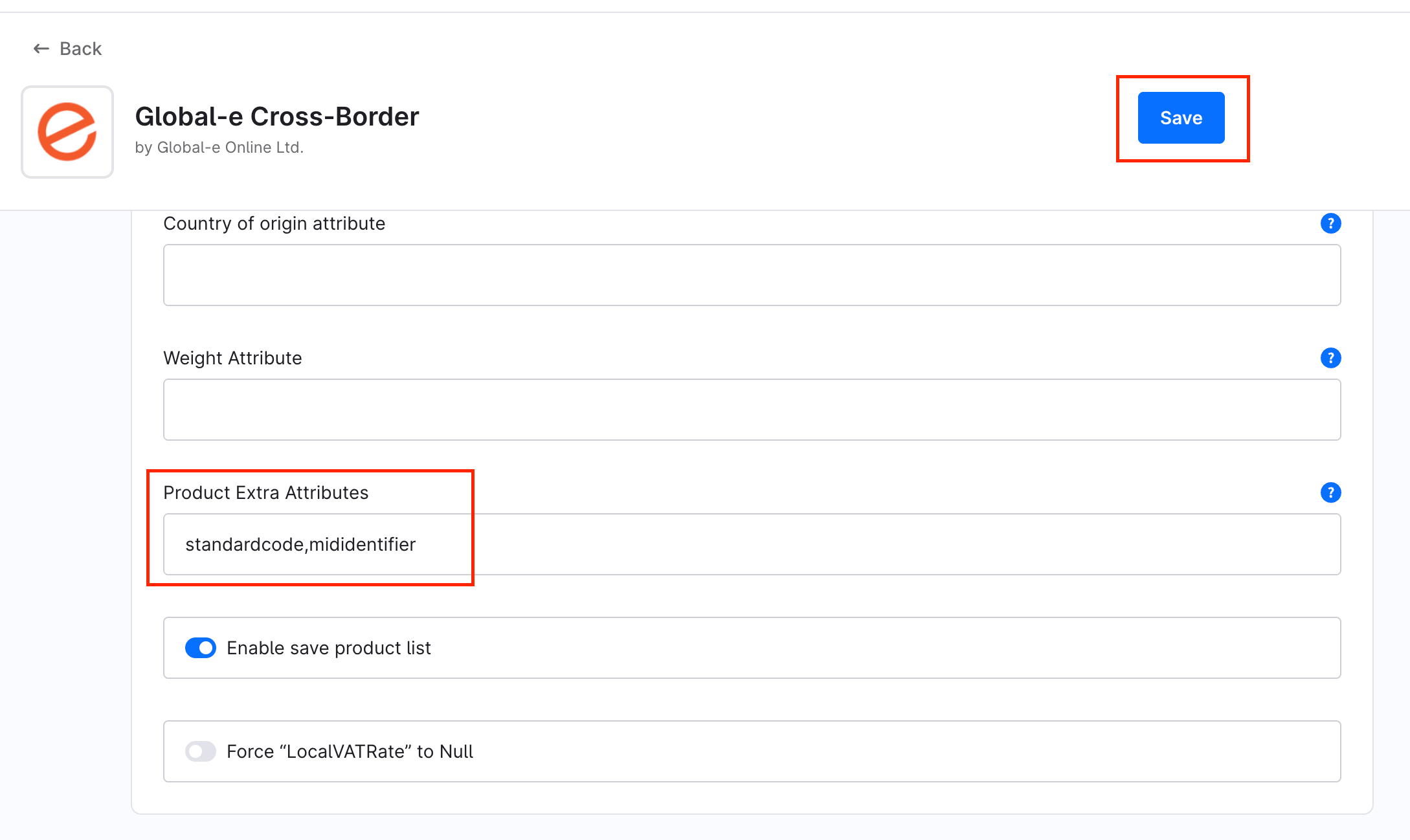
- Save, and clear the Shopware cache if your deployment requires it.
Key points
One pair of values per variant. Populate each variant that can appear in the cart. A value on the parent product alone is not enough when the variant has no value of its own.Your Shopware field names are your choice. The plugin maps them to the exact keysstandardcode and mididentifier (lowercase), so your own field names do not need to match.Omit, don’t fake. When a variant has no value, leave the key out. Never send an empty string, NA, 0 or -.
Keep separate from US MID. Do not use the US MID fields for EU PID.
When values are read: at checkout, when the customer proceeds to Global-e. Updated catalog values apply on that variant’s next checkout.